


Before now, Kodi used to be one of the main benefits of jailbreaking your iOS device. For those new to this wonderful app, Kodi is an app that lets you stream TV stations, movies and more. It is freely available for Android and iOS.
To enhance user experience, Kodi lets you install third-party add-ons and this feature makes the app great for accessing all kinds of media. Whether your device is jailbroken or not, you can now enjoy this app by following this guide. This article shows you the two different methods to install Kodi on your device.
Installing Kodi on non-jailbroken devices
T0 install Kodi on a non-jailbroken iPhone or iPad, you need to download these:
- Cydia Impactor: This lets you sign the IPA file before installing on your iPhone or iPad. You can download for macOS, Windows or Linux here.
- Kodi IPA: This is the main Kodi app. To use, it needs to be first signed with Cydia Impactor. You can download from here or here.
To get started, follow these steps:
1. Connect your iPhone, iPad or iPod Touch via USB and start Cydia Impactor. Be sure the program detects your device.
2. Drag the downloaded Kodi IPA file to Cydia Impactor to start installation.

3. You will have to enter your Apple ID and password when asked. Normally, this is sent to Apple to sign the app but if you’re not comfortable with the idea of keying in your Apple ID into a third-party app, you could use a burner Apple ID to do this.
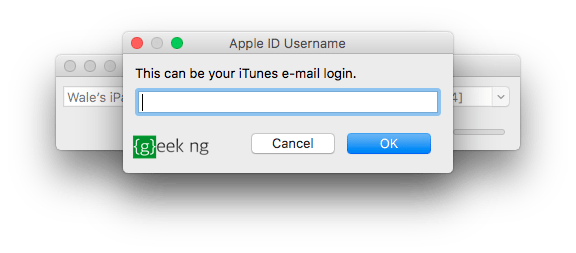
4. After a while, you should have Kodi installed on your device. But wait, you can’t run it just yet.
5. To run the app, you first need to trust the developer profile. Go to Settings > General > Device Management. You should see your Apple ID here, tap it and then hit the Trust button.
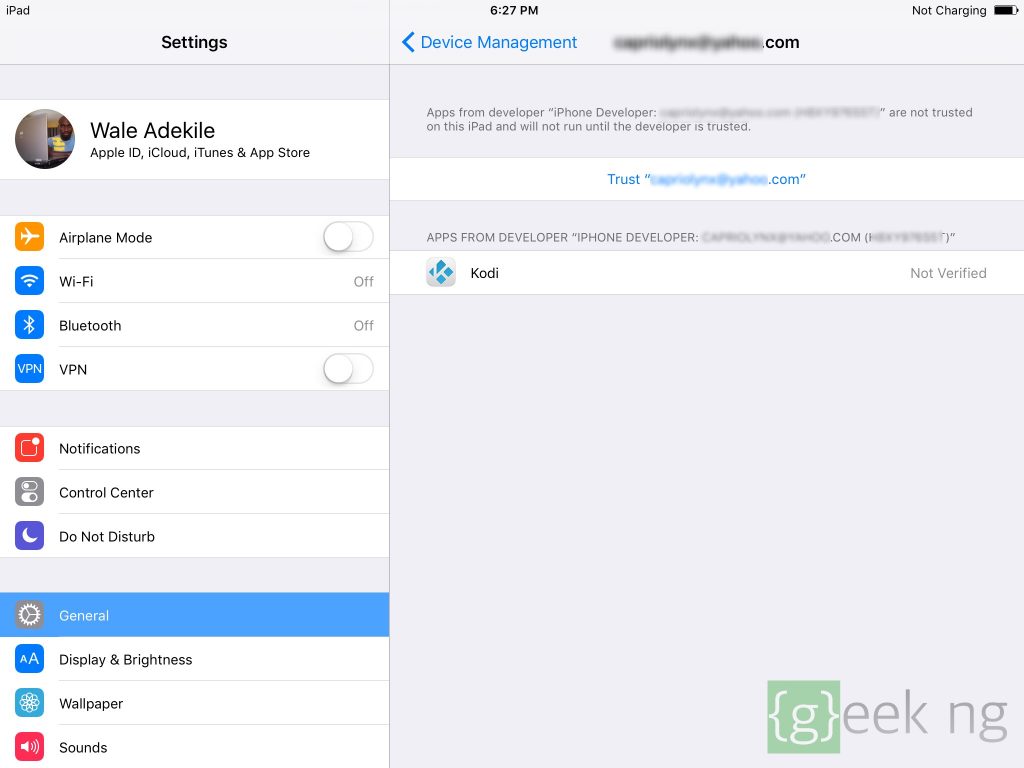
You can now run Kodi on your non-jailbroken device.
Warning: You should note that this app will stop working after 7 days unless you are an enterprise developer. After 7 days, Kodi will crash if you try to run it. You need to hook up your device to your computer again, sign the IPA file with Cydia Impactor and follow the rest of the steps.
Installing Kodi on jailbroken devices
Kodi has an official Cydia repository but unfortunately, this hasn’t been updated in a while (http://mirrors.kodi.tv/apt/ios/). It only has an older version of the app that crashes on iOS 10. To Install Kodi on non-jailbroken devices without the 7-day limit, you need to:
- Download iFile from Cydia (not yet fully compatible with iOS 10.2).
- Download the latest .deb file here.
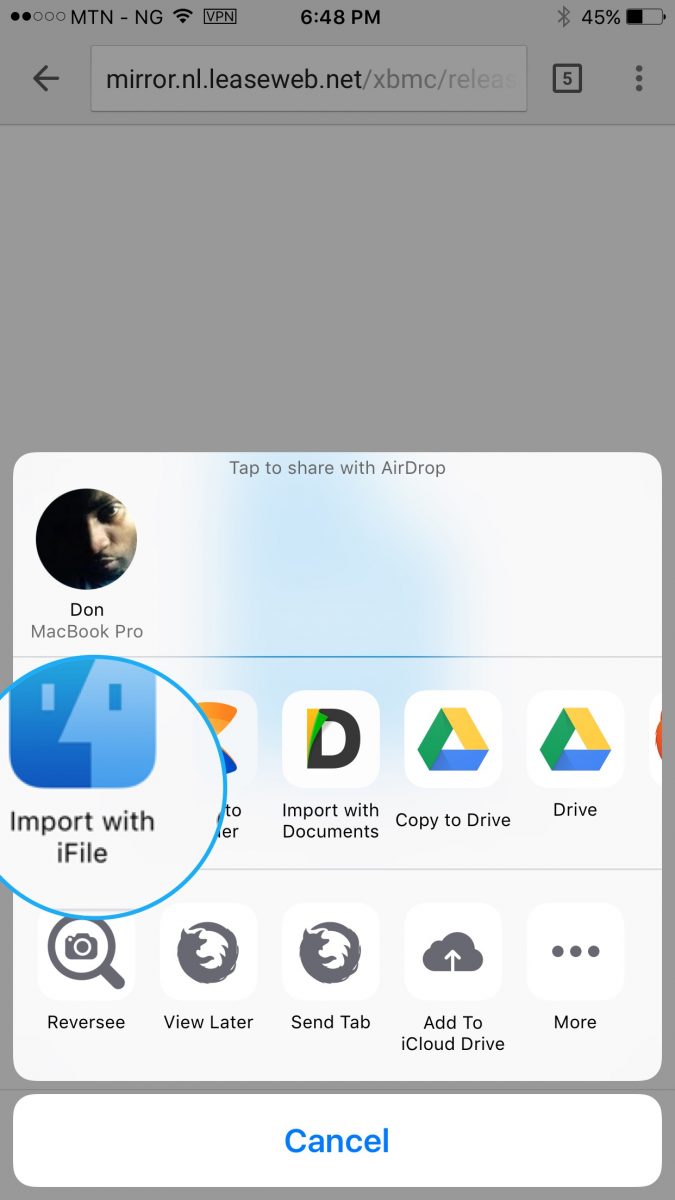
To make this easier, download the .deb file with Google Chrome and “Open with” iFile when the download is complete.
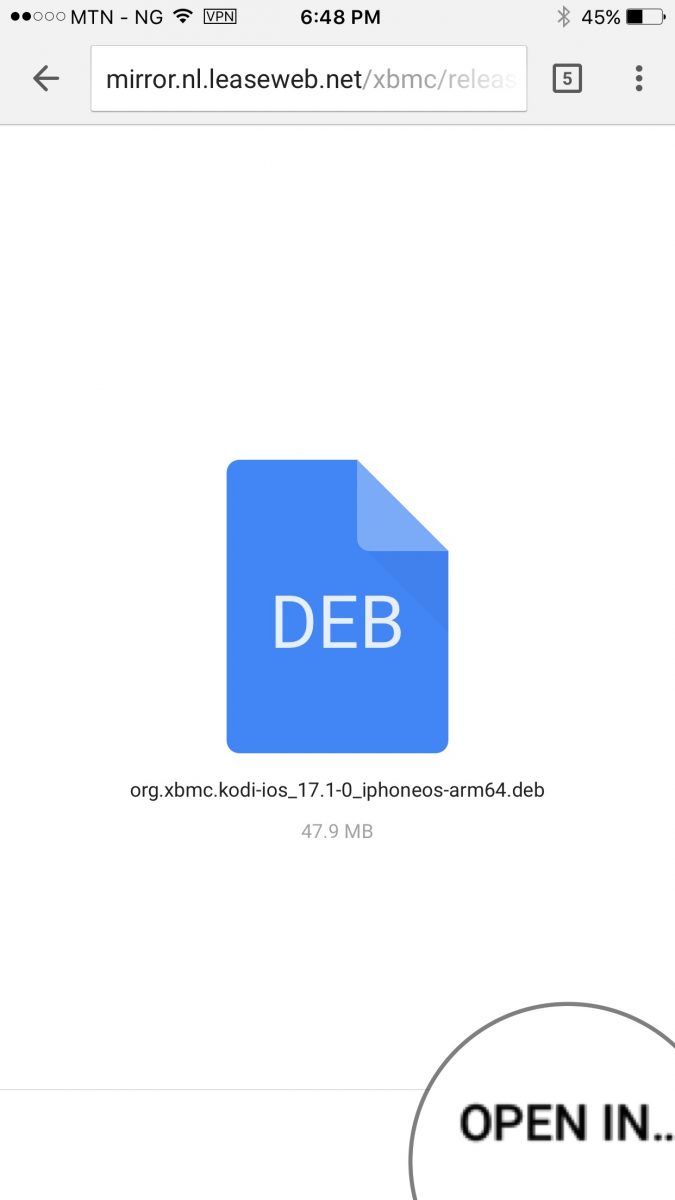
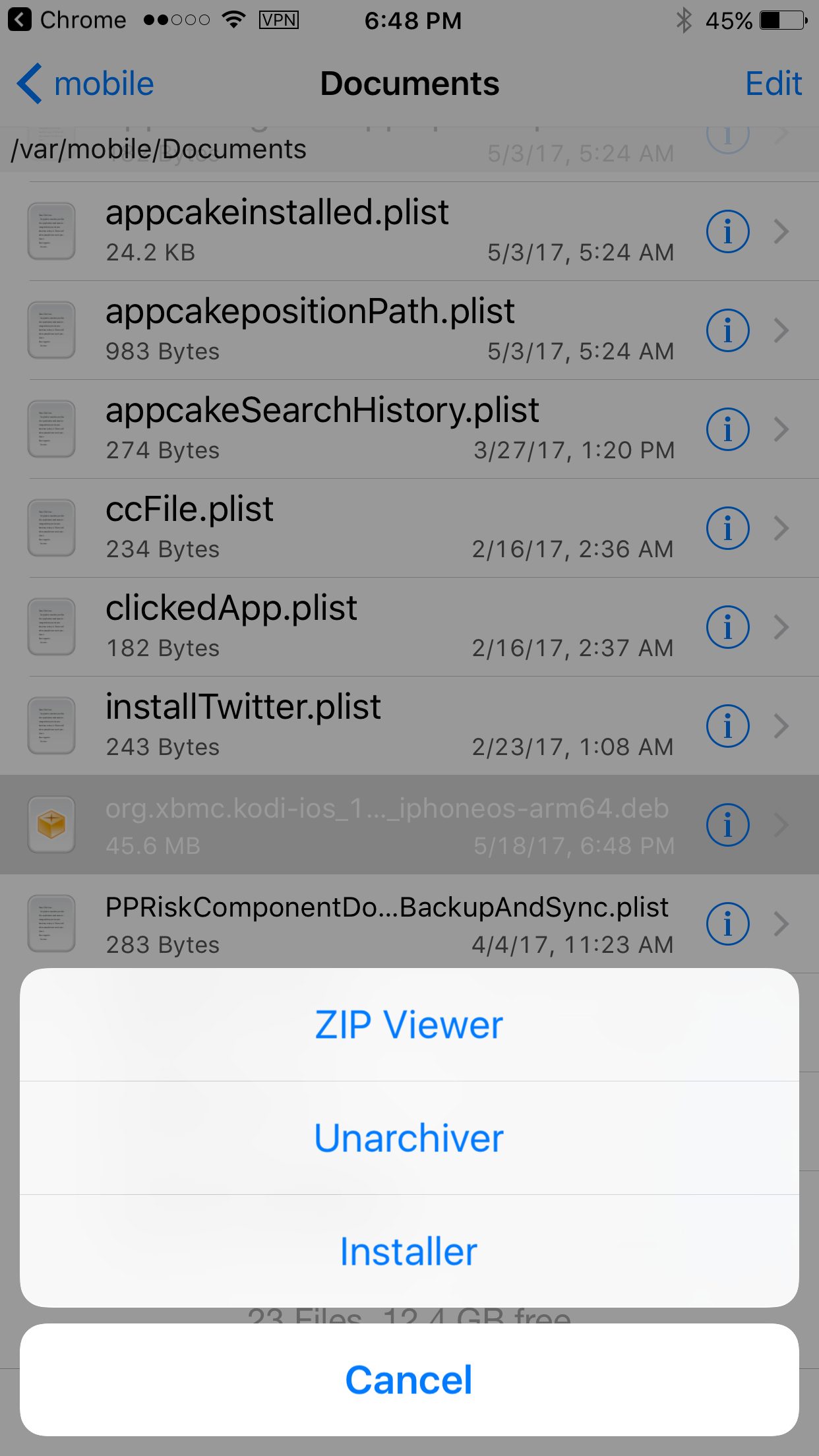
Select “Installer” when the options appear.
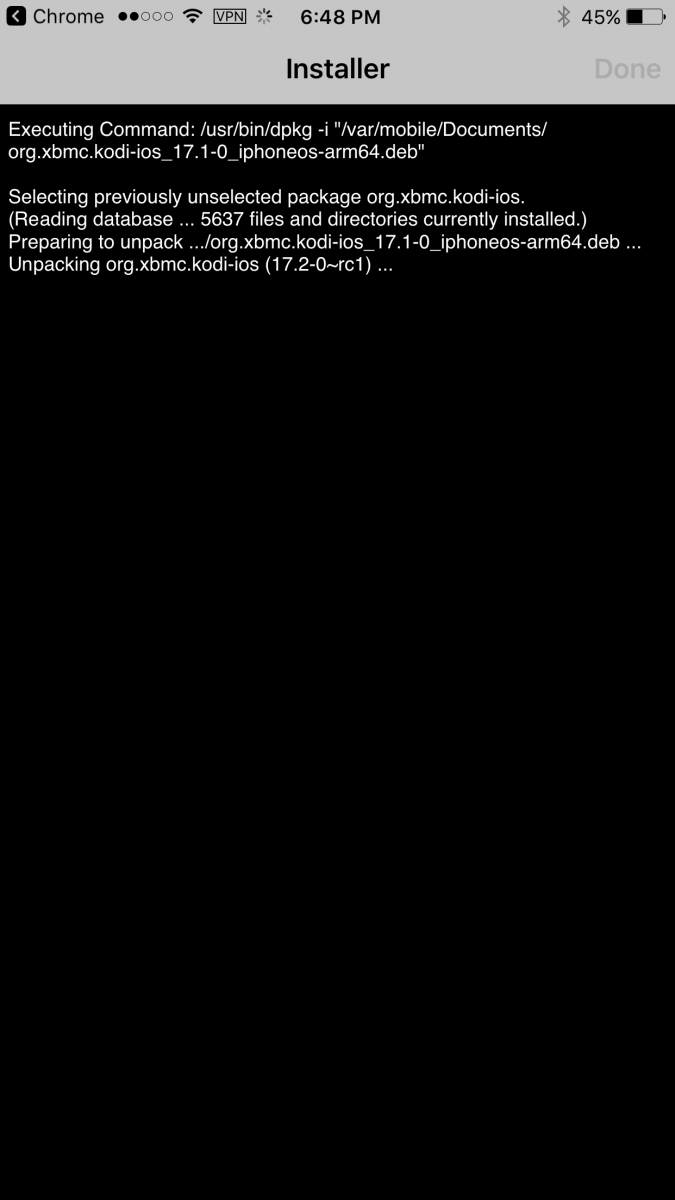
This automatically installs Kodi and you’re good to go. You may need to re-spring before the icon appears.
Alternatively…
Since iFile is not fully compatible with the latest iOS version yet, you can download the IPA file and install with Cydia Impactor as explained earlier for non-jailbroken devices. Then install and use Cydia Extender to bypass signing it every 7 days.













