+321 123 4567
info@test.com
  • Home
  • My Services
    • Web Design
    • Web Development
    • Technical Writing
    • Portfolio
  • My Thoughts
  • Free Tools
    • Photo Editor
    • Avatar Generator
    • Email Migration Tool
    • QR Code Generator
    • RSS to HTML Converter
    • IP Address Geolocation
    • Base64 Image Encoder
    • NATO Translator
    • All Tools
  • Contact
Home
Android
How to Easily Root Innjoo Halo Without a Computer

How to Easily Root Innjoo Halo Without a Computer

Wale Adekile
September 18, 2015

As with most MTK Android phones, rooting Innjoo Halo needs no special skills and you can easily root it using the popular one-click root app called Kingroot.


If you’re just getting started with rooting, please read this article to understand why people do it. Also, you should know that after rooting your phone, it’s advisable to unroot before performing an OTA update or restoring factoring settings. We have  a comprehensive guide on that here.

1. Download KingRoot-4.1.0.249.zip

2. Go to Settings > Security and enable Unknown Sources.

2. Install the APK file and start the installed Kingroot app. It should first try to verify if the the device’s root status.
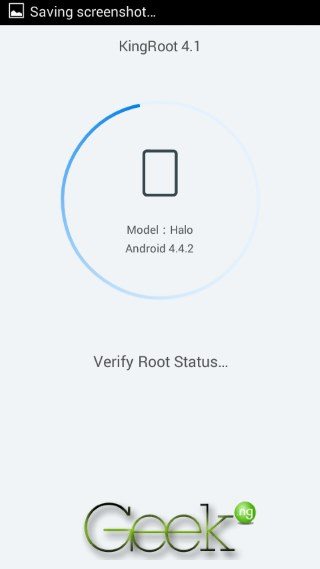
root innjoo halo


3. You need a working Internet connection on your phone to make this work. Click on Try to root.
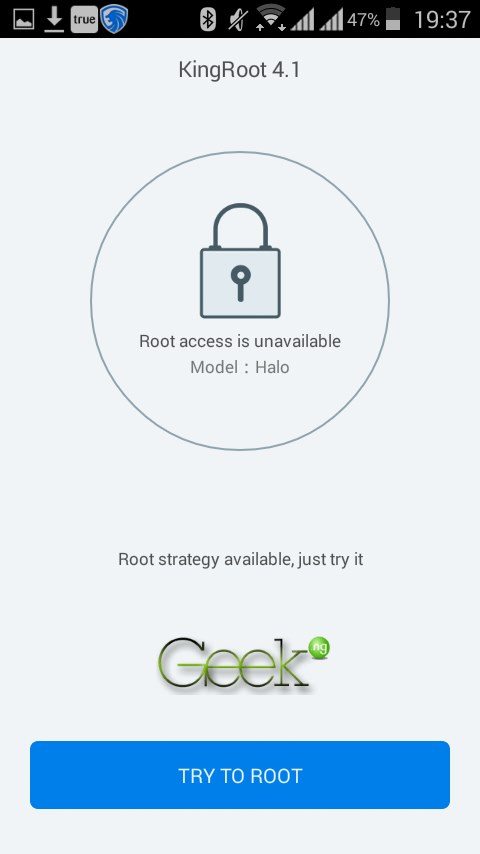
root innjoo halo 2

4. You should see the progress but you may have to wait for some minutes.
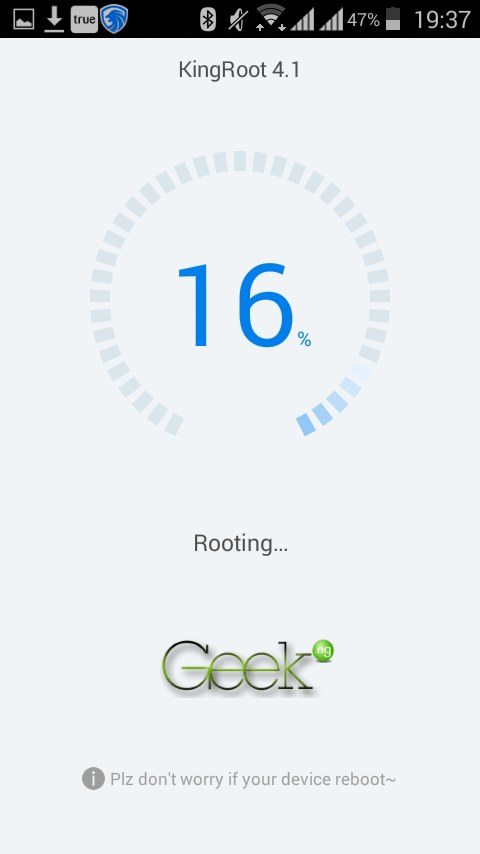
root innjoo halo 3

5. In a short while, the process should complete and you should see this:

Screenshot_2015-09-16-19-58-15

You can now close Kingroot. Going back to the app should tell you your device is rooted.


Screenshot_2015-09-16-19-59-28

Rebooting your phone is a good idea. Rooting Innjoo Halo is as easy as that.


Previous Post
Tecno Mobile Unveils its Latest Flagship, Tecno Phantom 5
Next Post
Innjoo Halo Full Review: Sub-15k Phones Got a New Boss?
Wale Adekile
Husband to the world's most beautiful woman and father to two awesome kids. A nerd, obviously; also, a technical business analyst, a web designer who preaches the gospel of WordPress, and a writer. You can check out my published books on Amazon.
Android

Nokia’s Android Phone – Why Would It Be the Best Option?

12 years ago
Innjoo Note Pro - Navigation softkeys
Android

Innjoo Note pro: Unboxing Video, Pictures & Technical Specifications

11 years ago

Recent Articles

yunmai massage gun mini 2.
Yunmai Massage Gun Mini 2 Review
BenQ LaptopBar Review: The Accessory I didn’t Know I Needed
teendow g20
Teendow Robot Vacuum G20 Review
Yunmai EasePro Massage Gun Review
bathroom
Dear Men, Spraying All Over the Toilet Seat is Disgusting and Irresponsible
winx mediatrans
How to Transfer Photos from iPhone to Computer Without iTunes
How to Use WhatsApp on an iPad
Things to Consider When Buying a MacBook
programmer
Learning to Code: A Comprehensive Guide for Beginners
identity thief
How to Efficiently Prevent Identity Theft

All contents on this blog are copyright protected and cannot be reproduced on other websites without permission.

Copyright © 2022 – NerdieDad | Home | Contact | About | Privacy Policy