

+321 123 4567
info@test.com
  • Home
  • My Services
    • Web Design
    • Web Development
    • Technical Writing
    • Portfolio
  • My Thoughts
  • Free Tools
    • Photo Editor
    • Avatar Generator
    • Email Migration Tool
    • QR Code Generator
    • RSS to HTML Converter
    • IP Address Geolocation
    • Base64 Image Encoder
    • NATO Translator
    • All Tools
  • Contact
Home
Hardware
Fix: X Symbol Over MacBook Battery Icon (No Battery Available)

Fix: X Symbol Over MacBook Battery Icon (No Battery Available)

Wale Adekile
May 2, 2017

Over the weekend, I ran into an issue with my “ageing” MacBook Pro: The thing refused to charge and there was an “X” symbol over the battery icon. It appeared as if there was no battery installed, the notebook was operating just on the power supply. Removing the power cord turned off the MacBook and I was almost convinced the battery was dead already.


Knowing it was likely to be a damaged battery, I was already looking up how much I could get a replacement battery. After a while, I found a simple fix that solved this issue; the battery was still pretty much okay after all.

If you run into this kind of issue, removing and re-inserting the battery is likely to work. Unless you’re using one of the oldest models of the MacBook, you won’t be able to remove the battery unless you unscrew the base panel.
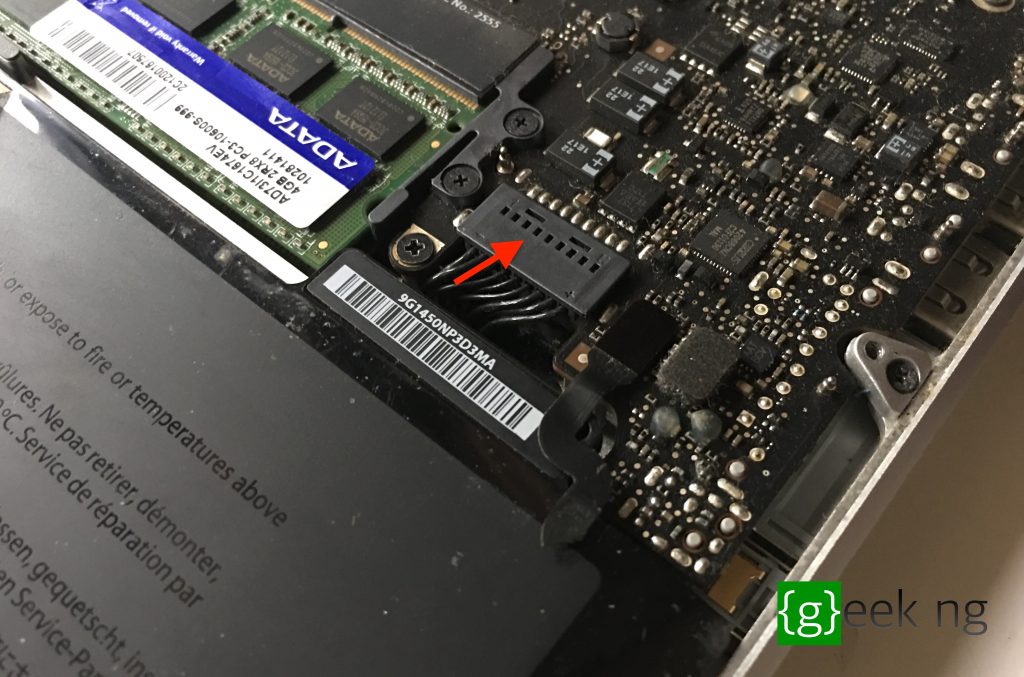
macbook pro unscrewed

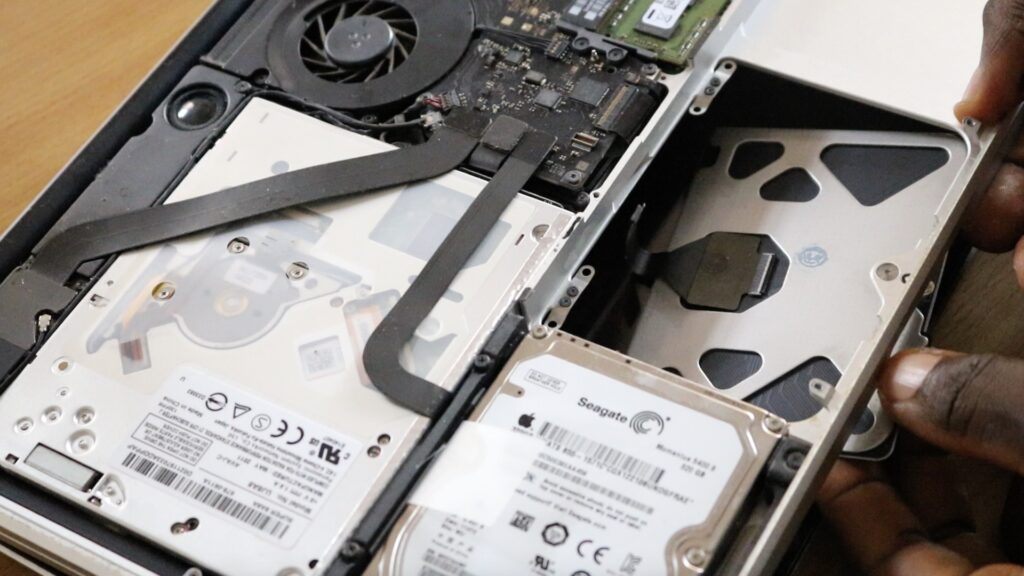
I pickup up my set of tools, unscrewed the base panel and I was staring at the internals.

Depending on your type of MacBook, you could either remove the battery completely or simply remove the connector that connects the battery with the motherboard.


After the battery is disconnected, plug in the charger, then re-insert the battery (or re-fix the connector). That’s all I did. I coupled it, turned it on, and the battery started charging.

Unless you have a dead battery that needs to be replaced, there’s a possibility this fix should work for you.

Previous Post
A Closer Look at Tecno Camon CX Camera
Next Post
6 Must-Have iOS Apps You Won’t Find In The App Store
Wale Adekile
Husband to the world's most beautiful woman and father to two awesome kids. A nerd, obviously; also, a technical business analyst, a web designer who preaches the gospel of WordPress, and a writer. You can check out my published books on Amazon.
mbp touchpad replacement
Hardware

How to Replace a Faulty Trackpad on MacBook Pro 2011 13-Inch

8 years ago
CPU vs GPU
Hardware

CPU vs GPU: What Are the Differences?

8 years ago

Recent Articles

yunmai massage gun mini 2.
Yunmai Massage Gun Mini 2 Review
BenQ LaptopBar Review: The Accessory I didn’t Know I Needed
teendow g20
Teendow Robot Vacuum G20 Review
Yunmai EasePro Massage Gun Review
bathroom
Dear Men, Spraying All Over the Toilet Seat is Disgusting and Irresponsible
winx mediatrans
How to Transfer Photos from iPhone to Computer Without iTunes
How to Use WhatsApp on an iPad
Things to Consider When Buying a MacBook
programmer
Learning to Code: A Comprehensive Guide for Beginners
identity thief
How to Efficiently Prevent Identity Theft

All contents on this blog are copyright protected and cannot be reproduced on other websites without permission.

Copyright © 2022 – NerdieDad | Home | Contact | About | Privacy Policy









