This post was originally published in 2014 but updated on 7th April, 2018.
Lots of people upload videos on Facebook daily but you can only play those videos, you’re not allowed to download them. Sometimes, you probably wish to save some of these videos and watch them later but there’s no download option on Facebook. There are several ways to download Facebook videos which range from using different browser add-ons to different online services that allow you to freely download Facebook videos.
Out of the different methods, I came up with three which I consider the best. These methods also work on other online video streaming sites.
1. Browser Extensions
There are lots of browser extensions for downloading Facebook videos and quite a lot of them work great. However, some are notorious, I’ve even come across one that randomly injects ads on pages you visit. On Google Chrome, Video Download Pro works great for Facebook videos and you might want to give it a shot. At the time of writing this article, it works as described.

Still, you could run a search for the term “download video” on Chrome Web Stor or Firefox Add-ons website and try out one with good reviews,
Most of these add-ons/extensions also allow you to download videos from Dailymotion, Metacafe, MySpace Video, Break.com, Blip.tv, MyVideo.de, Spike, vimeo.com, YourFileHost, zippyvideos.com, yikers.com, revver.com, kontraband.com, badjojo.com, collegehumor.com, blastro.com, dachix.com, redtube.com and the other popular videos sites.
2. DownFacebook – an Online Service
DownFacebook is a website that allows you to download Facebook videos freely by just writing the video URL in the provided field. It automatically grabs the video gives the download link. There’s absolutely no need to download or install anything and it’s perhaps the easiest way to get it done real fast.
It should be noted that this works best for public videos. If the audience for the video is not set to Public, there’s a chance it’s not going to work.
3. Download Managers
Certain download managers come with plugins that allow you to download flash videos from any site including Vimeo and Facebook.
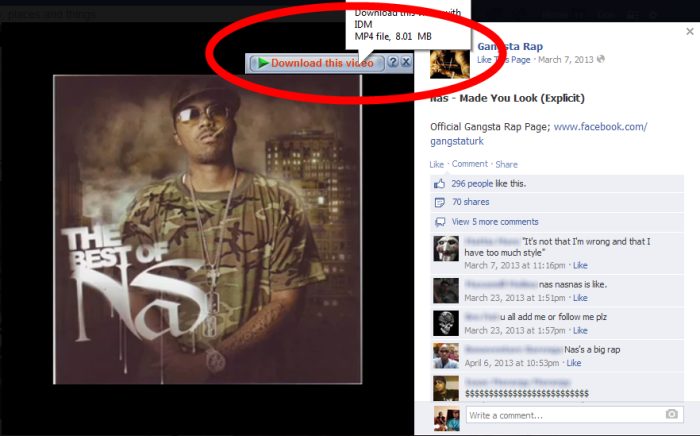
Orbit Downloader comes with a video grabber which is installed on your browser and you can just right click on the video while playing and see different download options. Speedbit Video Downloader too performs the same function and you’re free to try out any of them. I personally use Internet Download Manager on Windows and it works great.