

+321 123 4567
info@test.com
  • Home
  • My Services
    • Web Design
    • Web Development
    • Technical Writing
    • Portfolio
  • My Thoughts
  • Free Tools
    • Photo Editor
    • Avatar Generator
    • Email Migration Tool
    • QR Code Generator
    • RSS to HTML Converter
    • IP Address Geolocation
    • Base64 Image Encoder
    • NATO Translator
    • All Tools
  • Contact
Home
Apple iOS
Here’s How Enable System-Wide Dark Theme on iOS

Here’s How Enable System-Wide Dark Theme on iOS

Wale Adekile
May 12, 2017

Before the release of iOS 10.3, many believed Apple would include a dark theme due to some codes suggesting that in the beta version of the firmware. This wasn’t the case; iOS still comes in its default light theme, though there has been some changes to certain apps. For instance, the Clock app now has a black theme enabled by default.


If you have a jailbroken iPhone, you can achieve this system-wide dark theme with tweaks. For non-jailbroken devices, the only option is inverting colors from iOS settings. To do this, navigate to Settings > General > Accessibility > Display Accomodations > Invert Colors. This inverts all colors and gets you that dark background, but the visual experience isn’t that great.

If you have a jailbroken device, you can use the tweaks listed below to enable a dark mode on your iPhone or iPad running iOS 10.

Eclipse 4

Eclipse isn’t a new iOS tweak, as a matter of fact, I first used it with iOS 7 on my old iPhone 4s. Eclipse 4 is optimized for iOS 10 and works great. It themes almost every part of the UI from Settings, Contacts, Messages to App Store. All you need to do is select apps you wish to theme from the settings.
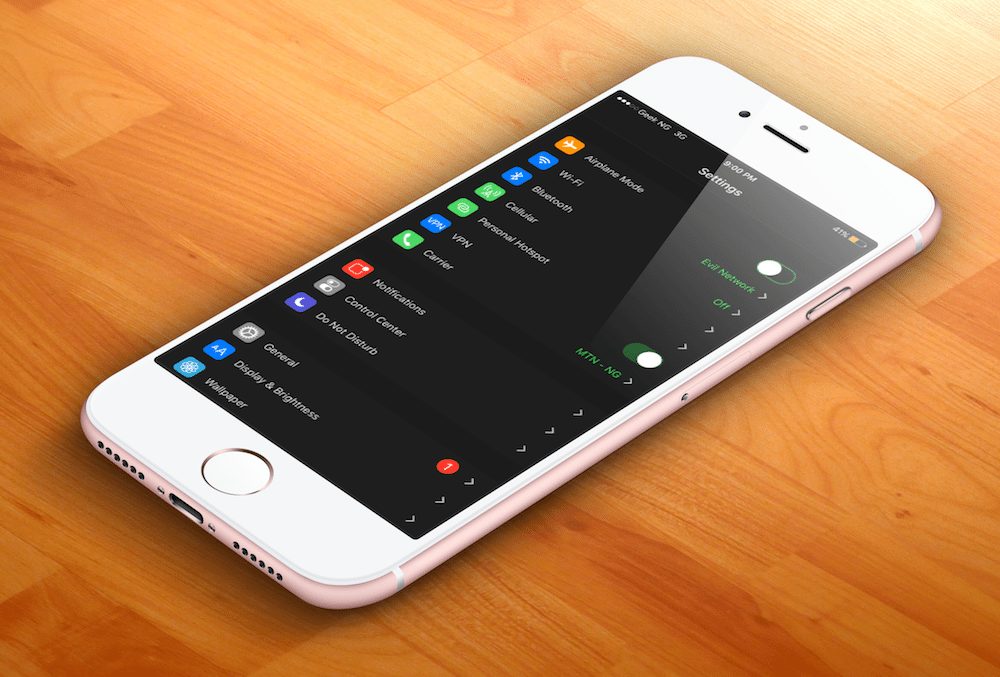
dark UI on iOS

Apart from just applying a dark theme to user apps and system apps, the dashboard lets you customize exactly how your device appears. There are several options to choose from and if a black background isn’t your thing, you might go for red, blue, or one of the several other alternative themes available.
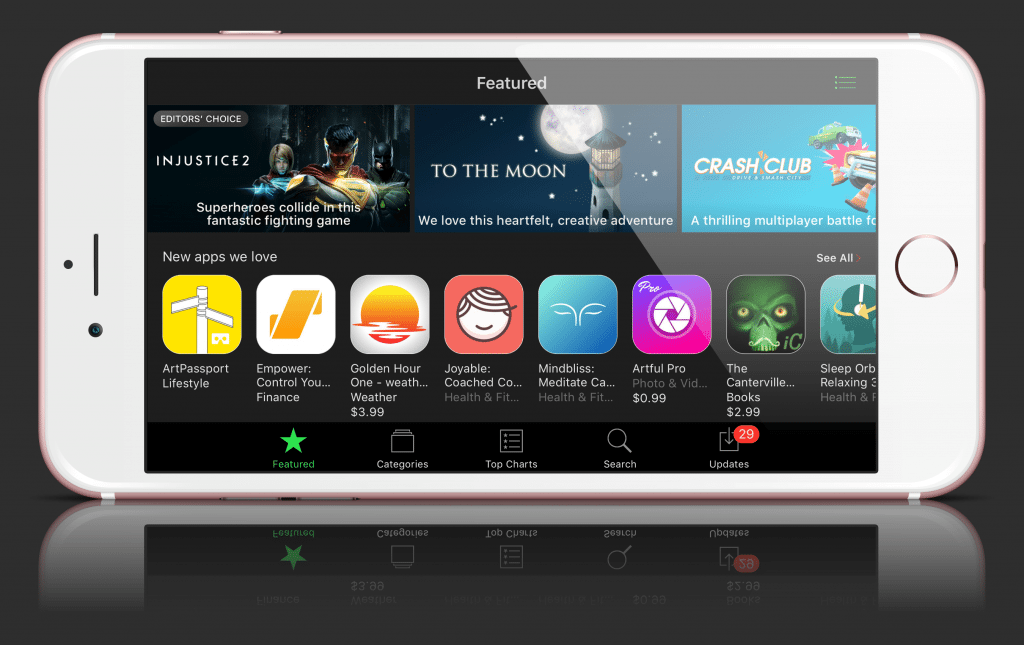

dark ui on ios

You won’t get it for free though, it costs $0.99 in the BigBoss repo.

Noctis

As Eclipse 4 only themes your apps, you can take things a step further with Noctis. This Cydia tweak lets you apply a dark theme to parts of the UI not touched by Eclipse.
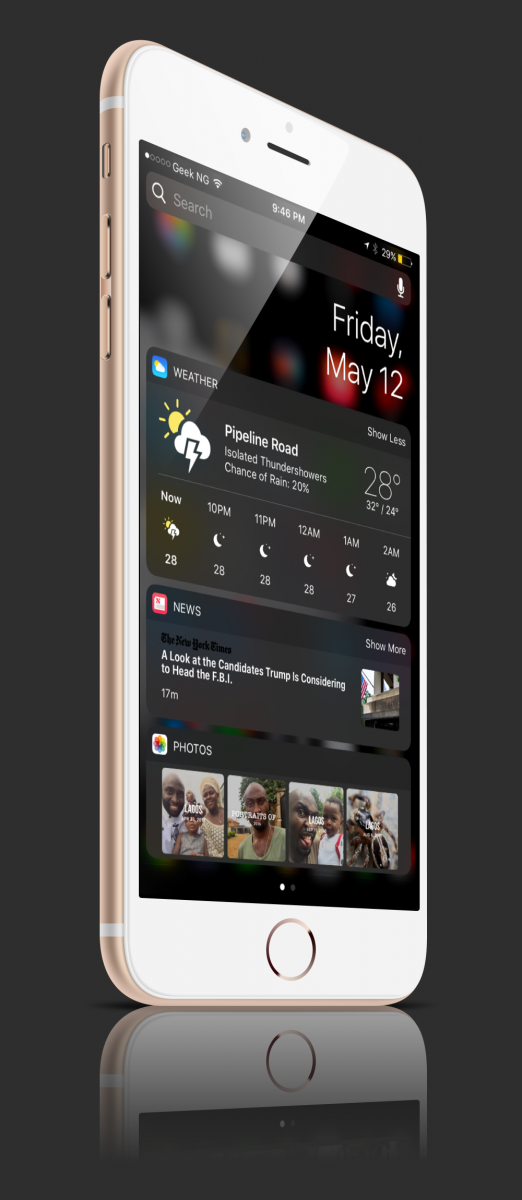
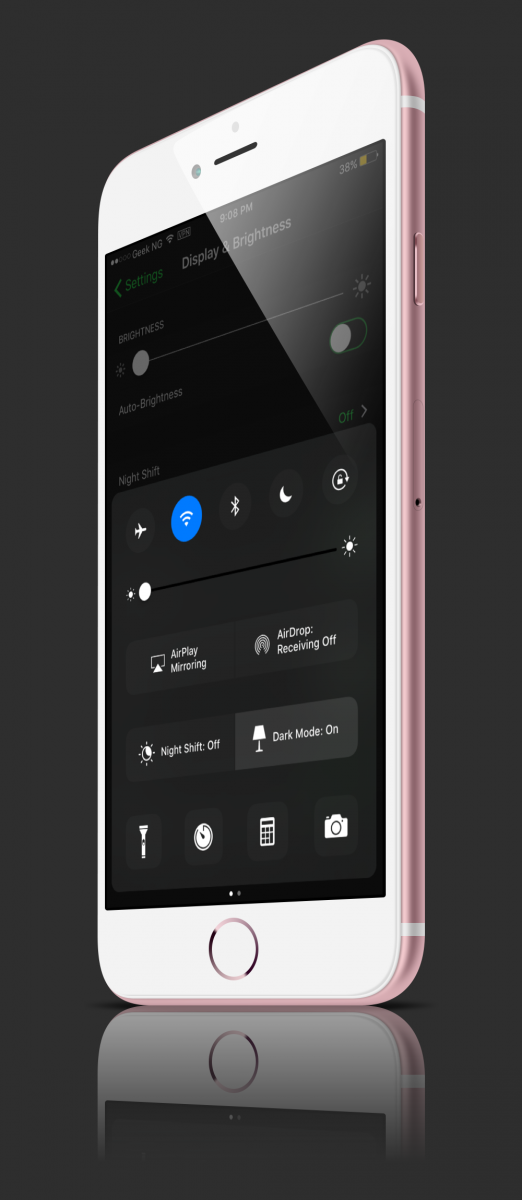
Basically, it applies the dark theme to the Control Center, Notification Center, Widgets, Folders, Dock and Share Sheets.


Previous Post
Infinix S2: Unboxing And Full Review
Next Post
Bypass Signing Yalu Every 7 Days Without a Developer Account
Wale Adekile
Husband to the world's most beautiful woman and father to two awesome kids. A nerd, obviously; also, a technical business analyst, a web designer who preaches the gospel of WordPress, and a writer. You can check out my published books on Amazon.
Apple iOS

How to Use Pwnage Tool for Windows (sn0wbreeze) to Build Custom iOS Firmware

14 years ago
iphone x ussd bug
Apple iOS

Rant: The iPhone X USSD Bug

8 years ago

Recent Articles

yunmai massage gun mini 2.
Yunmai Massage Gun Mini 2 Review
BenQ LaptopBar Review: The Accessory I didn’t Know I Needed
teendow g20
Teendow Robot Vacuum G20 Review
Yunmai EasePro Massage Gun Review
bathroom
Dear Men, Spraying All Over the Toilet Seat is Disgusting and Irresponsible
winx mediatrans
How to Transfer Photos from iPhone to Computer Without iTunes
How to Use WhatsApp on an iPad
Things to Consider When Buying a MacBook
programmer
Learning to Code: A Comprehensive Guide for Beginners
identity thief
How to Efficiently Prevent Identity Theft

All contents on this blog are copyright protected and cannot be reproduced on other websites without permission.

Copyright © 2022 – NerdieDad | Home | Contact | About | Privacy Policy









