

+321 123 4567
info@test.com
  • Home
  • My Services
    • Web Design
    • Web Development
    • Technical Writing
    • Portfolio
  • My Thoughts
  • Free Tools
    • Photo Editor
    • Avatar Generator
    • Email Migration Tool
    • QR Code Generator
    • RSS to HTML Converter
    • IP Address Geolocation
    • Base64 Image Encoder
    • NATO Translator
    • All Tools
  • Contact
Home
Facebook
Disable Timeline And Get Back Old Facebook Profile Layout

Disable Timeline And Get Back Old Facebook Profile Layout

Wale Adekile
October 23, 2011

Update: This post has been updated. Please click here.


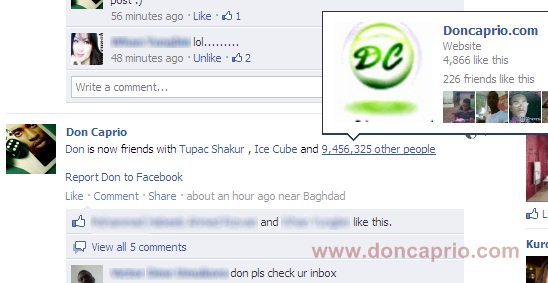
Facebook timeline reveals rather too much about you and you wish to revert back to the old profile layout, right? If you got your timeline profile through the quick way I posted earlier, then there’s a way out. I enabled timeline profile a couple of weeks back, toyed around with it for quite a while, got tired of it due to some privacy reasons and got desperate looking for a way to disable the whole thing and go back to my old profile layout. I eventually found a really simple way that worked for me and I’m gonna share it with you.
Note that this will only work for you if you enabled timeline from facebook developer page. To disable timeline and go back to your old profile, follow these steps:

– Go to facebook developers page

– The link above takes you to the application(s) you create. Click on the application that you used to enable timeline o the right.

– Select Edit App from the top right
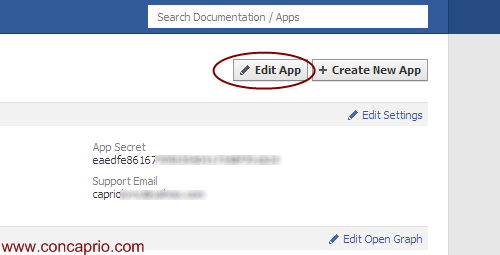

– There are some links by the left side of the page, right? The last one should be Delete App, click on this very one.
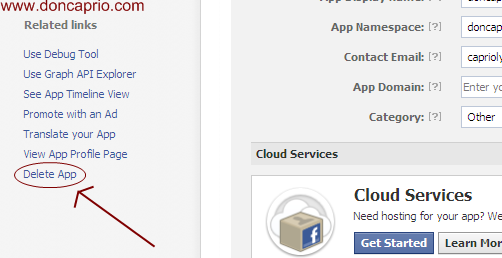


– Click the confirm button and wait till the application is deleted.

– If you’ve enabled Open Graph for more than one facebook application,then you have to delete all these applications as well.

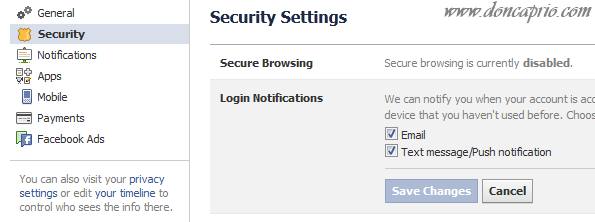
Now check your profile and you’ll see you have your old profile back. Since Timeline is not yet public, facebook will probably force it on you when it goes public. But till then, enjoy your old profile layout while it last.

Previous Post
How To Hide Or Limit Facebook Timeline
Next Post
How To Increase Your Blog’s Google Page Rank And Alexa Global Rank
Wale Adekile
Husband to the world's most beautiful woman and father to two awesome kids. A nerd, obviously; also, a technical business analyst, a web designer who preaches the gospel of WordPress, and a writer. You can check out my published books on Amazon.
how to know when someone hacks your facebook account
Facebook

How to Know if Someone is Using your Facebook Account or if it Gets Hacked

14 years ago
Facebook

Using Custom Links In Facebook Status Updates And Wall Posts

14 years ago

Recent Articles

yunmai massage gun mini 2.
Yunmai Massage Gun Mini 2 Review
BenQ LaptopBar Review: The Accessory I didn’t Know I Needed
teendow g20
Teendow Robot Vacuum G20 Review
Yunmai EasePro Massage Gun Review
bathroom
Dear Men, Spraying All Over the Toilet Seat is Disgusting and Irresponsible
winx mediatrans
How to Transfer Photos from iPhone to Computer Without iTunes
How to Use WhatsApp on an iPad
Things to Consider When Buying a MacBook
programmer
Learning to Code: A Comprehensive Guide for Beginners
identity thief
How to Efficiently Prevent Identity Theft

All contents on this blog are copyright protected and cannot be reproduced on other websites without permission.

Copyright © 2022 – NerdieDad | Home | Contact | About | Privacy Policy









