Wondershare has an array of smart software solutions and MobileGo has been around for quite a while. This software manages your device and it works with both Android and iOS. Most OEMs fail to have a PC software program to manage their devices and users end up having just file system access when connected to their computers. This shouldn’t be and this is exactly what MobileGo tries to solve.
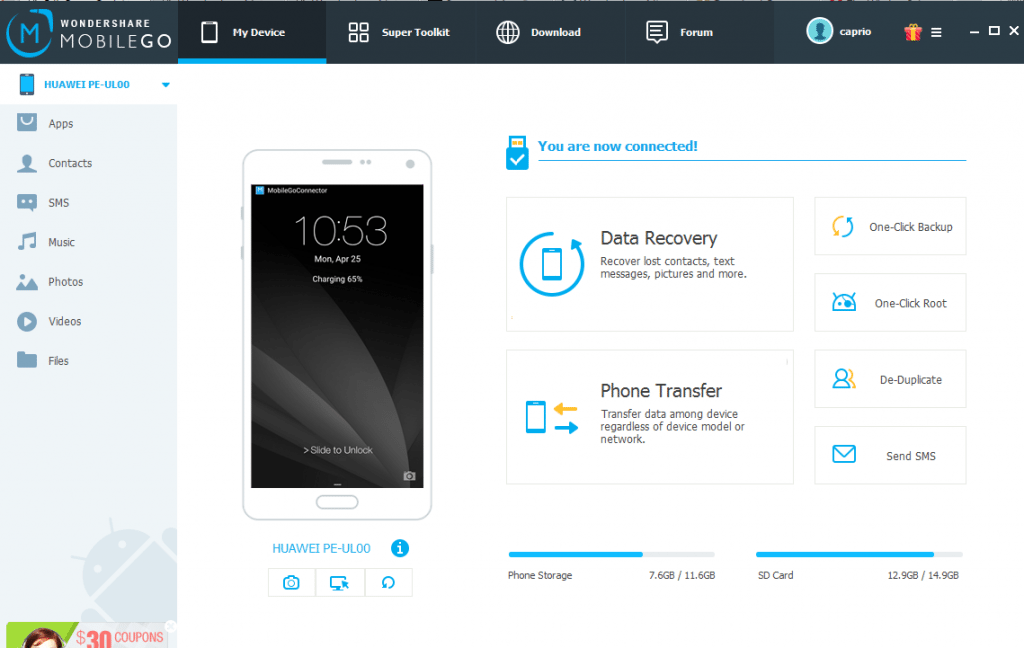
Wondershare MobileGo is the Android Manager you need
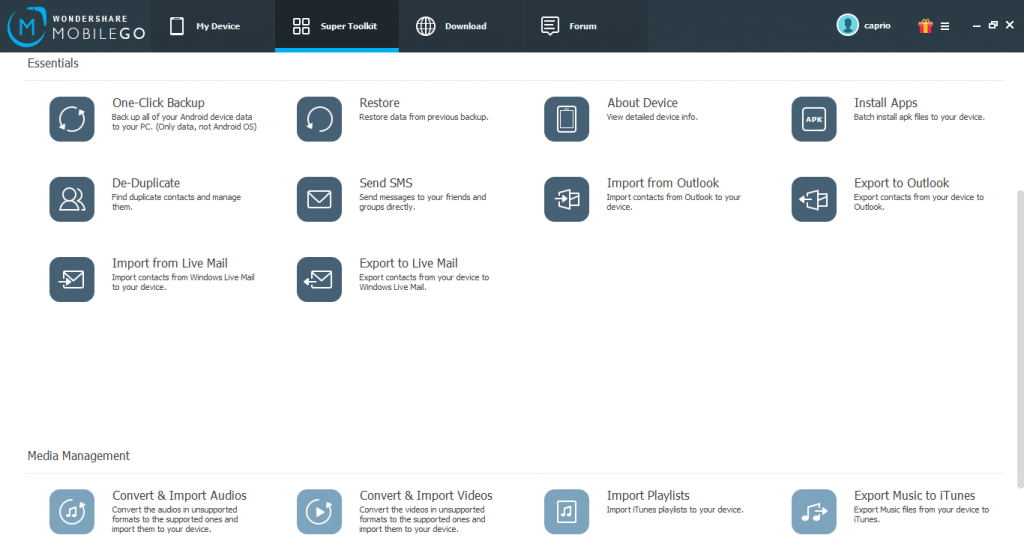
The toolkit is filled with tools to let you take control of your Android device. From creating backups to great media management, there are lots of reasons you should consider having this software as your Android device manager.
Wondershare MobileGo doesn’t work only with Android devices, it’s built to work with iOS too and it really works as advertised.
App Management with inbuilt Play Store
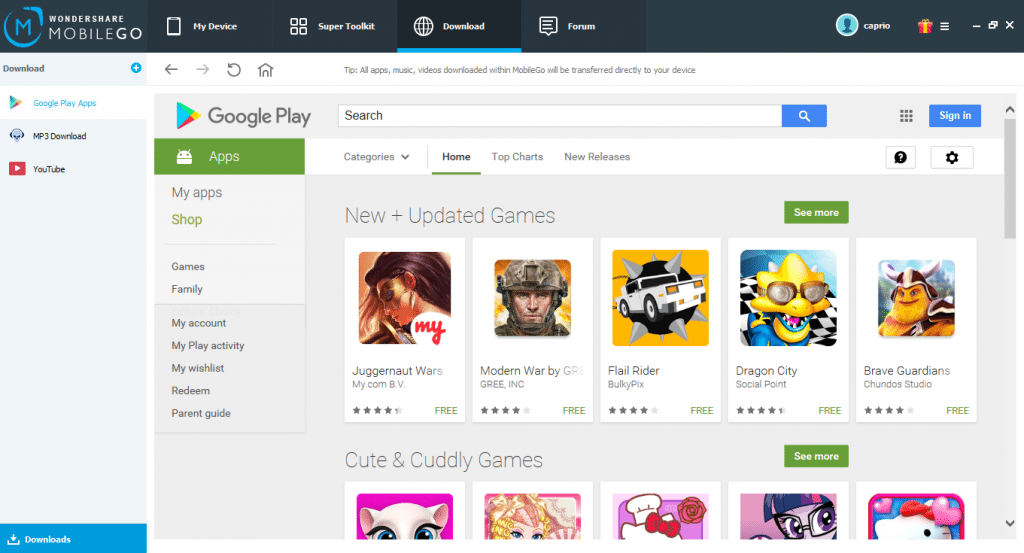
MobileGo lets you fully manage your device applications right from your computer. You can back up your apps to your computer and install APK files right from the computer. You can as well uninstall apps and move them from and to SD card.
With root access, MobileGo lets you even uninstall system applications. Google Play Store is integrated right into the software and you can send apps to your phone right from there.
Another nifty tool is the batch APK installer that can come in pretty handy if you just got a new device and you have a whole bunch of APK files that need to be transferred to the phone lying around on your PC.
Contact & SMS Management
MobileGo allows you to easily manage your contacts right from your computer. You can export to CSV, Outlook Express, Windows Live Mail and more. There are also options to import contact lists from different formats into your device.
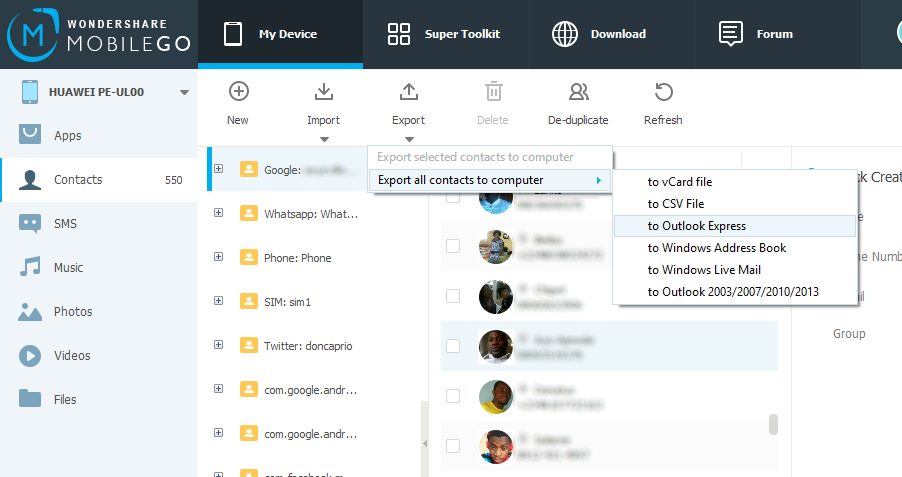
Duplicate Finder finds and merges duplicates and makes you phonebook look more organized. You can also backup your SMS in XML format to your PC. You can then import the saved backup to the same device or any other device.
One-click root
Under the Super Toolkit is the one-click root feature that will let you gain root access to your device. This isn’t guaranteed to all devices but there’s a chance it might work for you if you own a device with a MediaTek chipset.
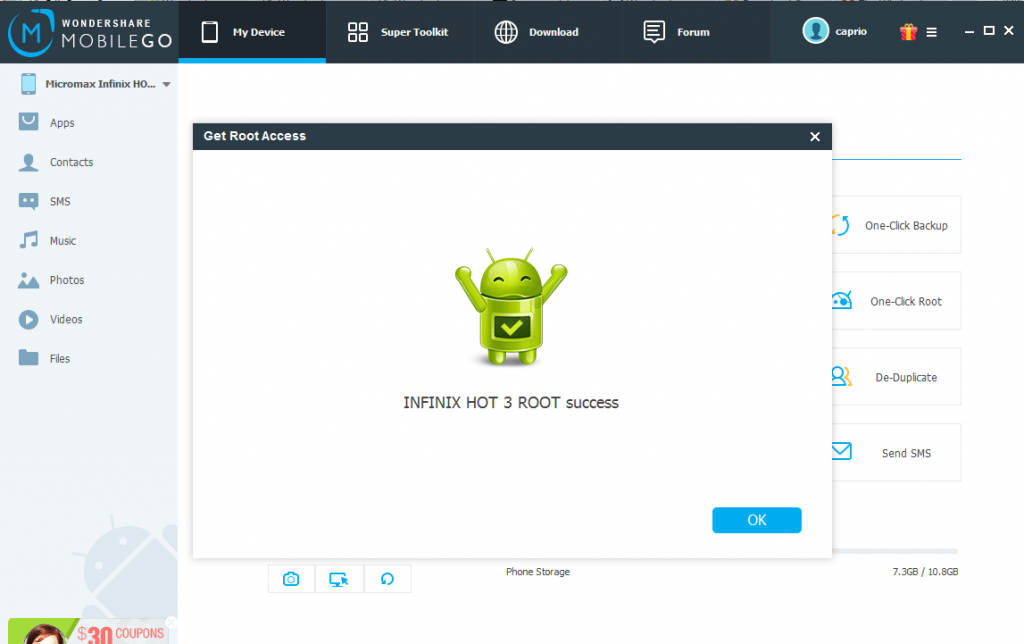
I tried it on an Infinix Hot 3 and it actually worked. However, it didn’t work for another phone with a HiSilicon Kirin chipset.
Data recovery
In case you accidentally delete important data, Wondershare MobileGo digs deep into your storage and recover these deleted files.
Data eraser
This feature lets you completely erase your phone before giving it out or putting it up for sale. This ensures you’re not giving out sensitive data to someone else.
Mirror Android device on PC
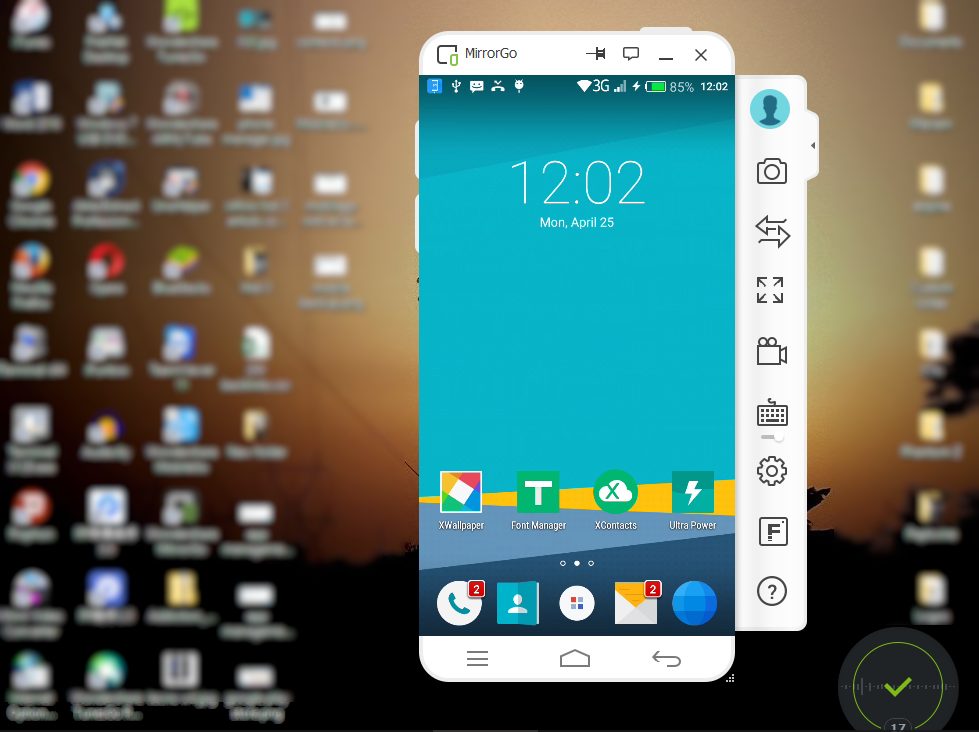
Working on your PC and need to operate your phone? MirrorGo is bundled into the software and you can operate your device right from your computer screen.
Other features
Other Features include transferring music from / to your iTunes library, converting audio to playable formats, video conversion and import, photo management and more.
Wondershare MobileGo lets you try the software for 15 days though the features available are limited. However, you can access enough features to help you make up your mind whether to purchase the full version or not.