Back in 2013, we posted a tutorial on how to install 25PP on an iPhone or iPad without jailbreak. 25PP is a Chinese app store for iOS devices and it’s sometimes included in certain jailbreak tools. However, since there’s no jailbreak for iOS 9.2.1 at the moment, a lot of people can’t use the app on their devices.
On jailbroken devices, adding http://apt.25pp.com/ as a Cydia source let you install the app but for devices not yet jailbroken, there’s an easier way to do this.
Disclaimer: We do not encourage piracy. While some people think 25PP is only for getting paid apps for free, it should be mentioned that different people have different uses for this Chinese app store. Apple restricts some games and apps to the US but 25PP lets you access them. For instance, a free app like the new Microsoft news app (News Pro) is only available in the US.
There are two ways to do this. You can do it without a PC and there’s a way to do it with a PC, but this tutorial focuses on how to install the app without jailbreak and without a PC.
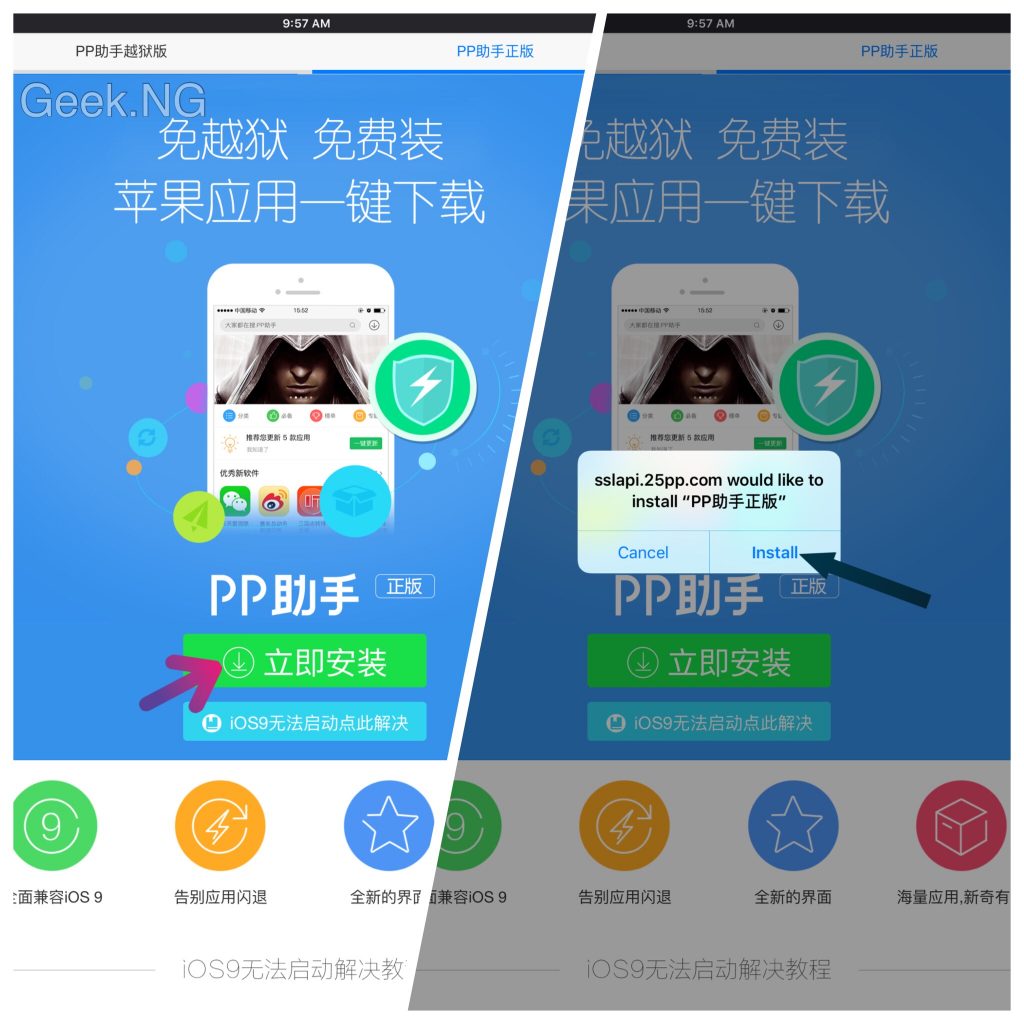
1. Go to this page and tap the green download button as shown below. Wait till it asks whether to install the app. Hit the install button to proceed.
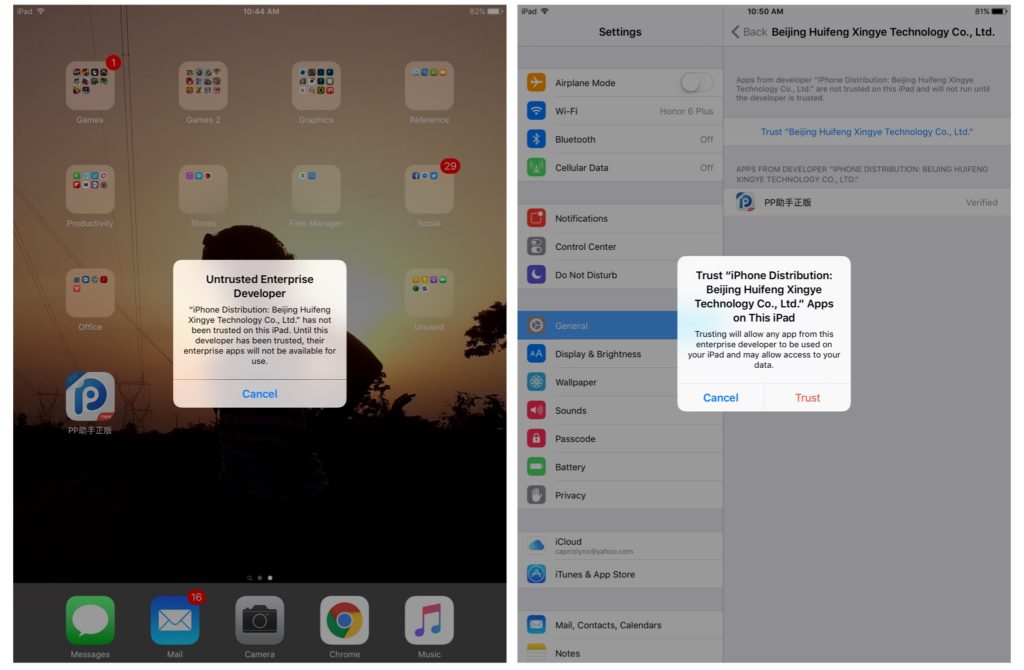
2. You should now have the app on your springboard but there’s more. If you try to run it, you will get an error saying the enterprise developer is untrusted. To fix this, go to Settings > General > Device Management > Beijing Huifeng Xingye Technology Co., Ltd. Click the profile and trust the developer.
3. Go back to the Springboard and try to launch the app again. You should be greeted with a popup. Hit the blue button and you should be promoted to install a certificate. Tap the install button, enter your passcode and tap done when you’ve finished.
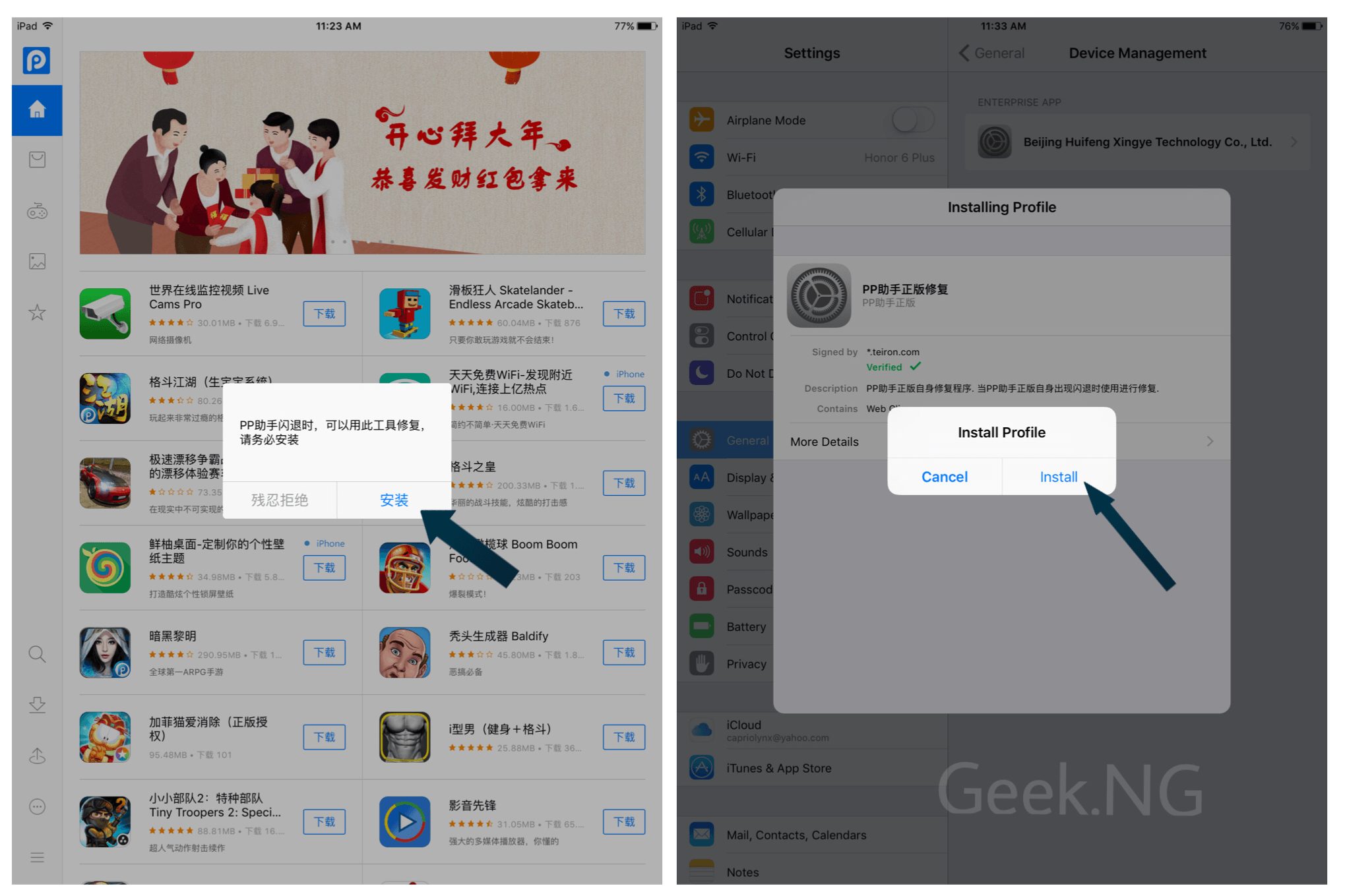
4. By now, you should have two 25pp icons on your springboard. Tap the second one and when it opens, tap the big green button. This should prompt you to install another profile.
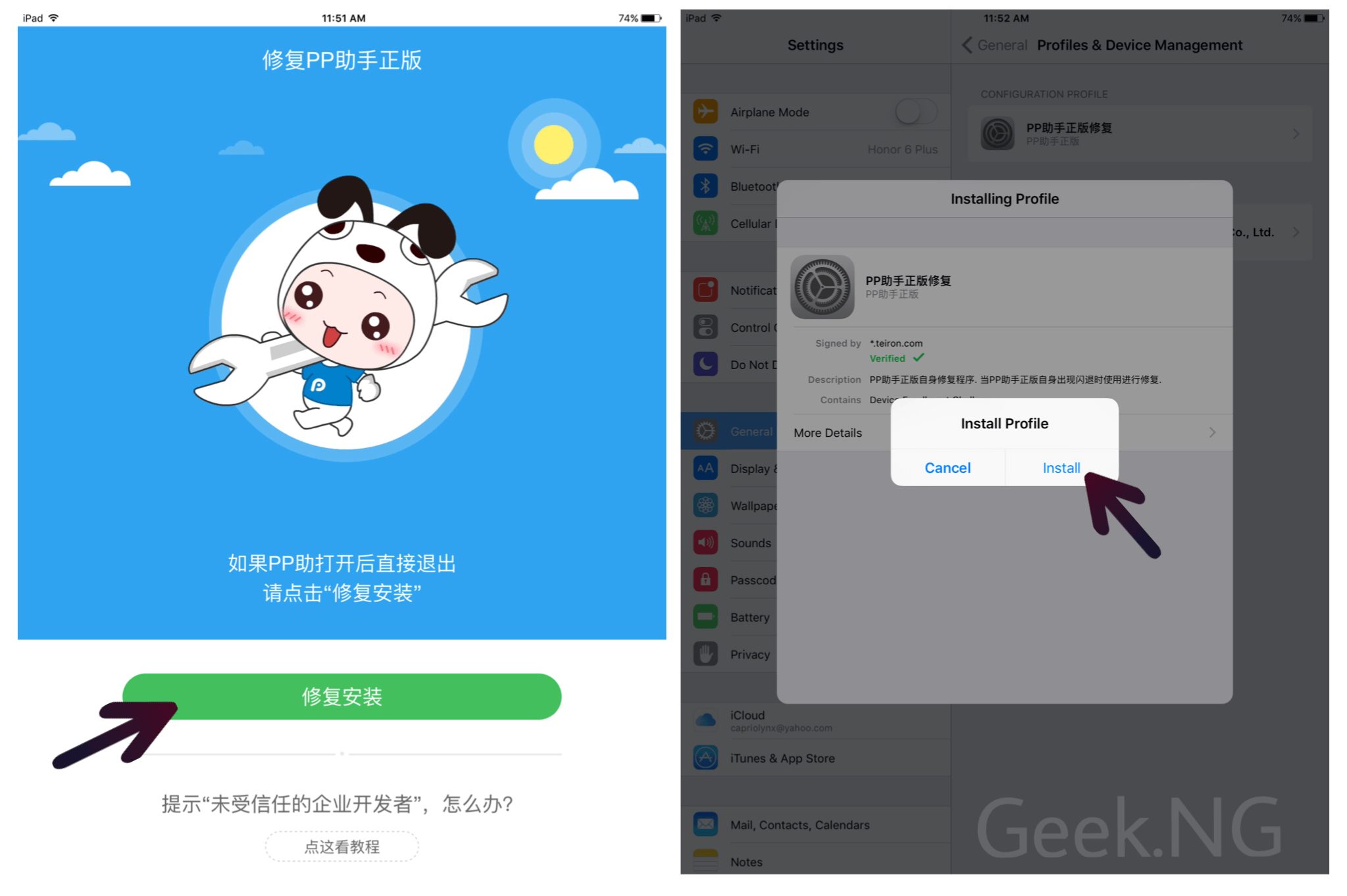
5. Immediately, the profile is installed, there comes yet another prompt to install another app.
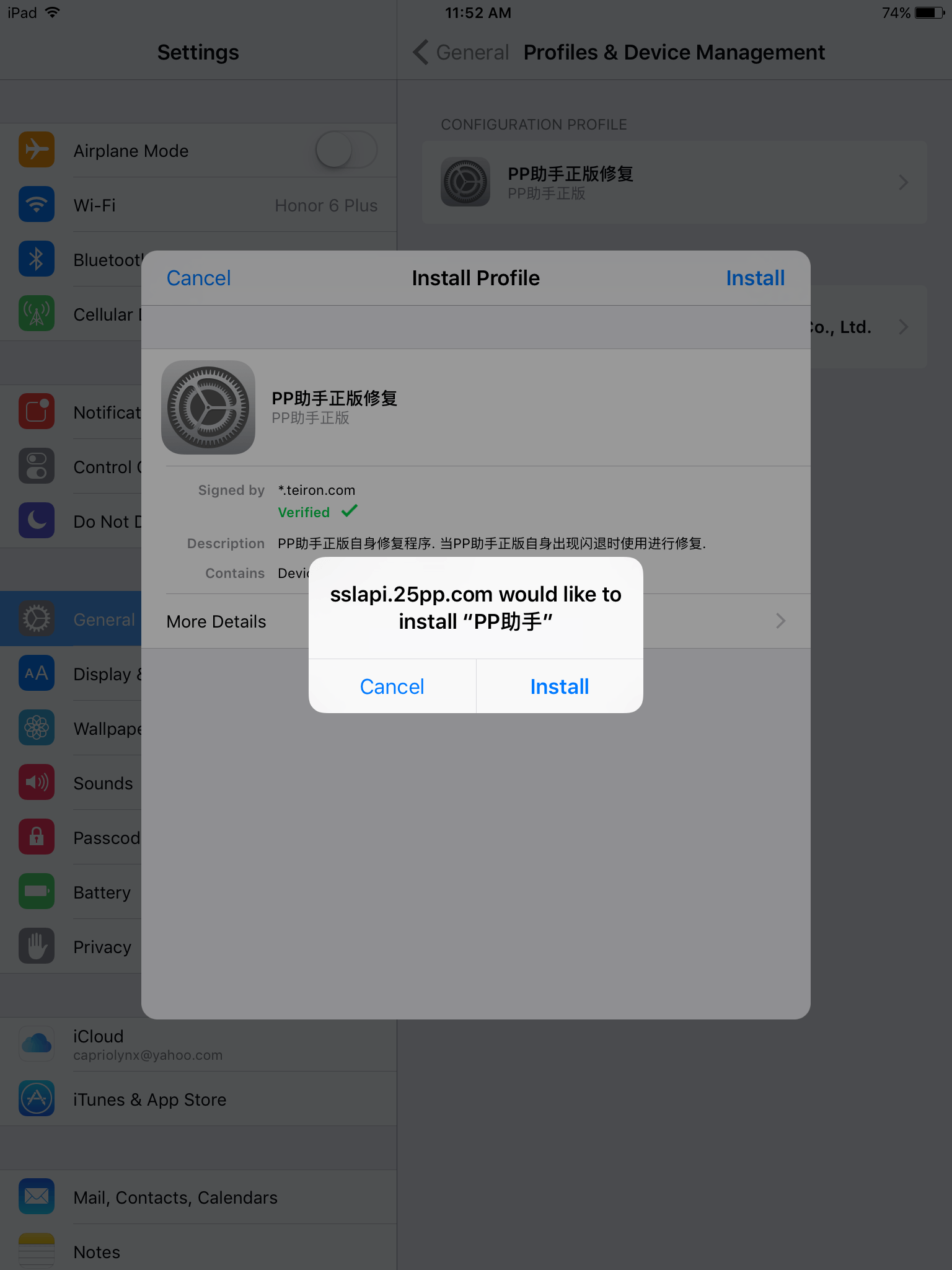
Install it and by now, you should have a third 25pp icon on the springboard.
6. Open the third 25PP and again, you’re prompted to install another profile.
After all is done, go back to the first one and you should be able to download and install apps and games right after that.