The first time I needed to convert a PDF document to Microsoft Word, I had to use an online service that produced a not-so-good result. Without the right software programs, editing a PDF file can be a major problem and the best option sometimes is converting to a different format like docx, or anything else.
 There are seveal programs created for this and Able2Extract is one of such. However, its worth mentioning that this program has some advanced features and that gives it an edge over the rest.
Overview
Able2Extract is a software program that converts PDF files to various formats. It’s a lightweight software, the current version (9.0.5) is only about 44MB. Able to extract is easy to use, all ou need is click a button, select your file and choose the format to be converted to.
Pros:
- Easy to use user interface
- Wide variety of supported formats
- Two way conversion supported (convert from PDF & convert to PDF)
- Batch Conversion supported
- Great output
Cons:
- It’s a bit expensive at $99
- Conversion from Excel sheet to PDF didn’t produce the best result
Supported Formats
You can convert PDF files and TXT files to different formats such as Word Document, Excel, PowerPoint, OpenOffice, HTML, AutoCAD and regular PNG image.
Also, you can create PDF files from suported fomats like txt, docx, csv and many others.
Efficiency
In my test, I converted a 387-page PDF ebook to Word format in just about 4 minutes. It took just a few seconds for a one page document though. The test was run on a computer running Windows 8 64-bit and with a 4GB RAM.
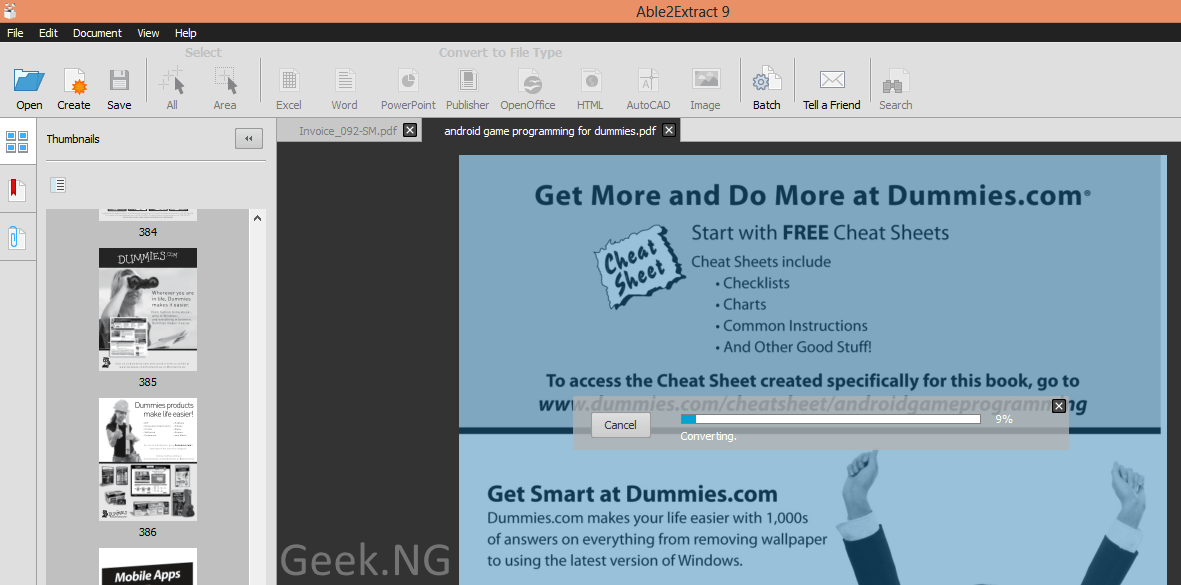
The converted document looks almost identical to the original file and there was no noticeable distortion. I tried converting to .docx and PNG and the result was okay.
Price
Able2Extract gives you a free 7-day trial and if you’re satisfied, you can either go for a 30-day subscription priced at $34.95 or a full license sold at $99.95.
Conclusion
Able2Extract is an awesome software that does what it’s meant to do perfectly. However, we do hope more input formats are supported in future updates.