It’s a known fact that iOS 7 can’t be jailbroken at the moment and without Cydia, you definitely can’t install AppSync on any iDevice. This means it’s impossible to install .IPA files and you have to rely solely on iTunes for apps and games installation.
There are alternatives to iTunes to install apps on iPhone and iPad but it’s believed that these work only on jailbroken devices. However, there’s a certain software that allows you to install apps and games on non-jailbroken devices. This is tested on an iPhone 5 running iOS 7.0.3 and an iPhone 4 running iOS 7.0.1.
Must read: How to Downgrade from iOS 7 to iOS 6 on iPhone 4
Introducing 25PP
This software has been around for a while but I only got to know of it lately. As described by the software developers, PP assistant is a database listing the most popular games from App Store. 25PP can be considered as an alternative to iTunes as it lets you download and install IPA files on your iPhone or iPad. The only problem with this software is that it’s written in Chinese but hey, you don’t have to understand Chinese to use it.
Also read: Send and Receive Files on iPhone / iPad via Bluetooth with Celeste 2
How to Install and Use
– Download 25PP from here
– Install as shown below:
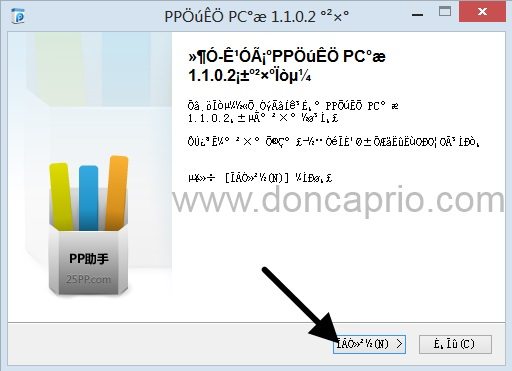
– Hit the next button
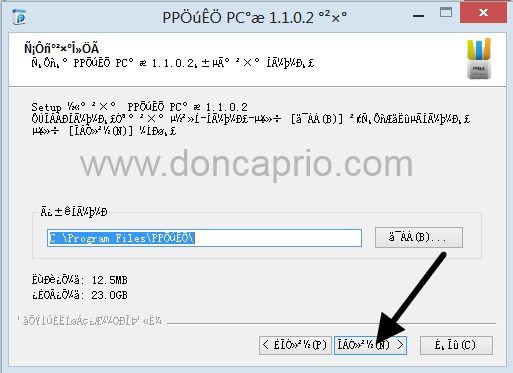
– Complete the installation:
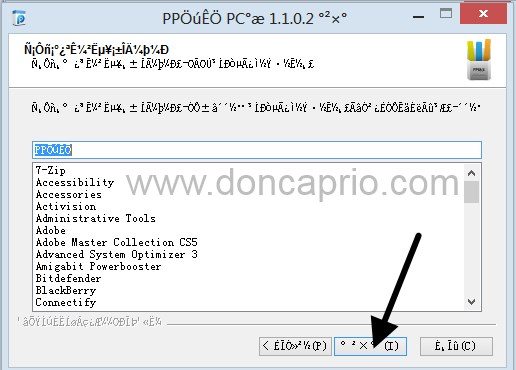
– Launch the program and click the Apple icon on the left
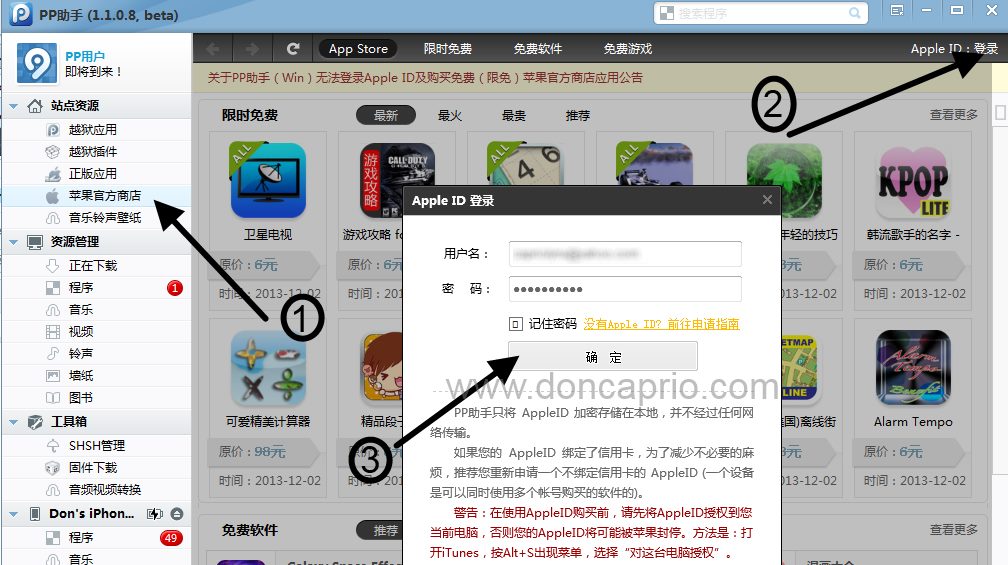
– Click the login link at the top-right corner and enter your Apple ID as shown above.
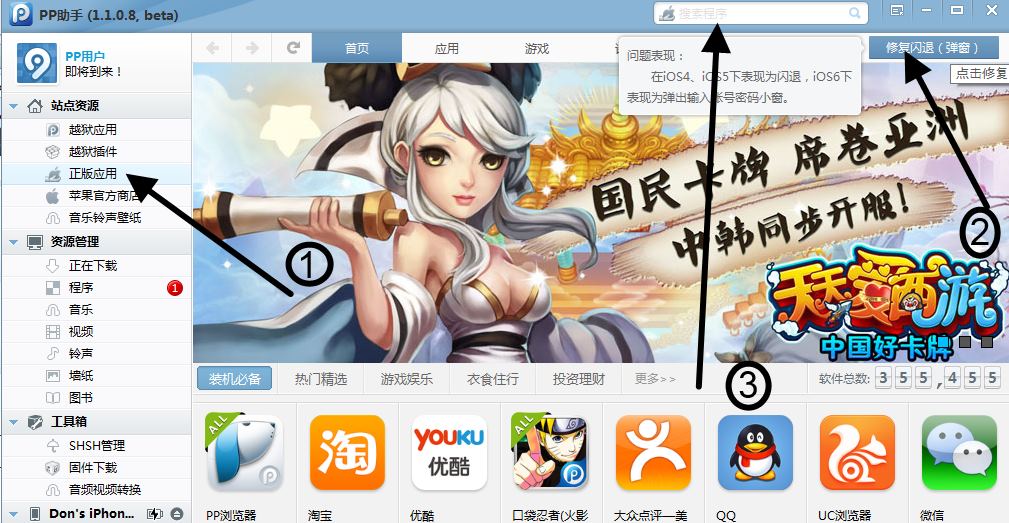
– After logging in, click the other Apple logo on the sidebar (the one with a hand holding an apple). If you’re using a non-jailbroken device, you can only download from this section. Hit the blue button at the top left corner. This avoids getting your downloaded apps crashing. You can now use the search bar to look for your desired app whether it’s free or paid.
– Select your app and hit the install button to directly install the file on your iDevice.
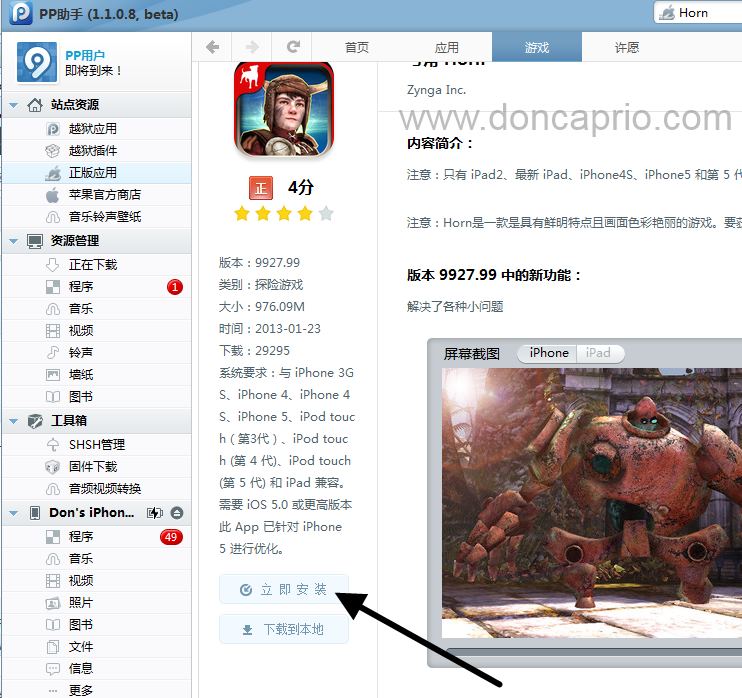
This is tested working on iOS 7, both iPhone 5 and iPhone 4s. If you followed this guide closely, I see no reason why it shouldn’t work for you.
Where are the downloaded IPA files?
You can find these in C:downloadsapps.
Precautions to take
1. Uncheck app syncing on iTunes
2. Only download from the section mentioned earlier
3. Be sure to enter your correct Apple ID and hit the green blue button or your apps won’t launch
Having issues using this program? I’ll be glad to hear your feedback.