A lot of people didn’t hear about Flappy Bird till it got removed from the App Store. Well, I’m one of them and you shouldn’t be surprised. Being the type always looking out for hardcore action games, I didn’t even know about Flappy Bird till I read on the news the developer decided to bring it down.
What sort of game is Flappy Bird that anyway?
A game that could so addictive the developer who created it thought the best thing to do was to remove it from the App Store? My curiosity led me to install the game on my iPhone 4s and in all honesty, I didn’t really like the game because it can be so annoying, a lot more annoying than angry birds when those dirty pigs laugh at you when you fail to complete a level.
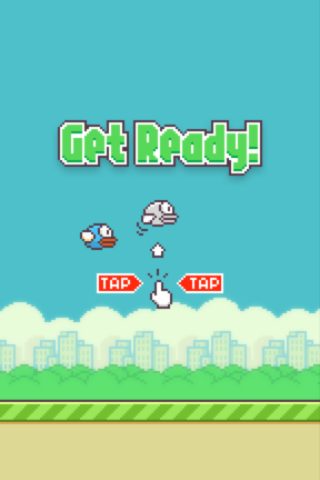
It’s one hell of a difficult game to play but you just wanna play on just because you don’t wanna accept the fact that something that looks so simple and stupid can be so difficult.
Don Nguyen decided to remove the game from App Stores after it went viral and it was unbelievable when he first made the announcement. Would you do the same if you had a game bringing in a revenue of $50,000 daily? I bet the answer to that is “No.”
“I can call ‘Flappy Bird’ is a success of mine. But it also ruins my simple life. So now I hate it,” says Nguyen in a tweet. Perhaps he’s a guy who just can’t cope with all the popularity, attention and criticism the popular game has brought him.
How to Install Flappy Birds on iOS without a Jailbreak
There’s a particular post I wrote a while ago on how to install IPA files on non-jailbroken iOS devices and using this tutorial, you have have Flappy Bird right there on your iPhone or iPad.
– Download 25PP from here and install on your PC using the tutorial here.
– Launch the program and click the Apple icon on the left
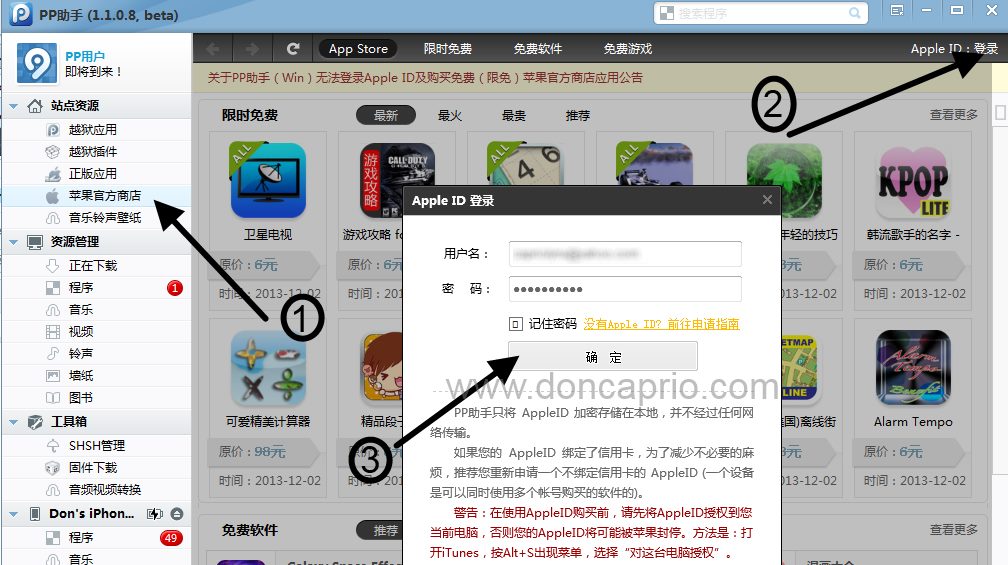
– Click the login link at the top-right corner and enter your Apple ID as shown above.
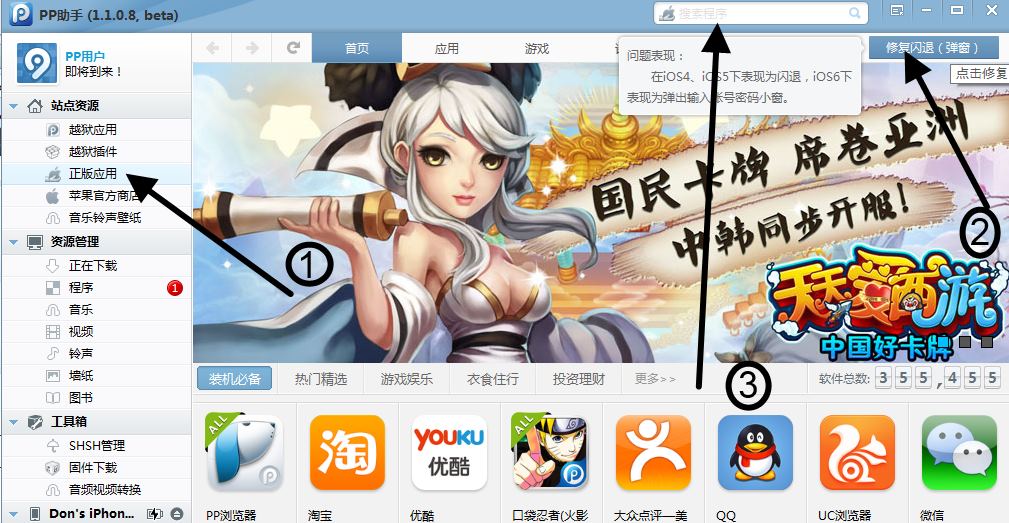
– After logging in, click the other Apple logo on the sidebar (the one with a hand holding an apple). If you’re using a non-jailbroken device, you can only download from this section.
Hit the blue button at the top left corner. This avoids getting your downloaded apps crashing. You can now use the search bar to Flappy Bird.
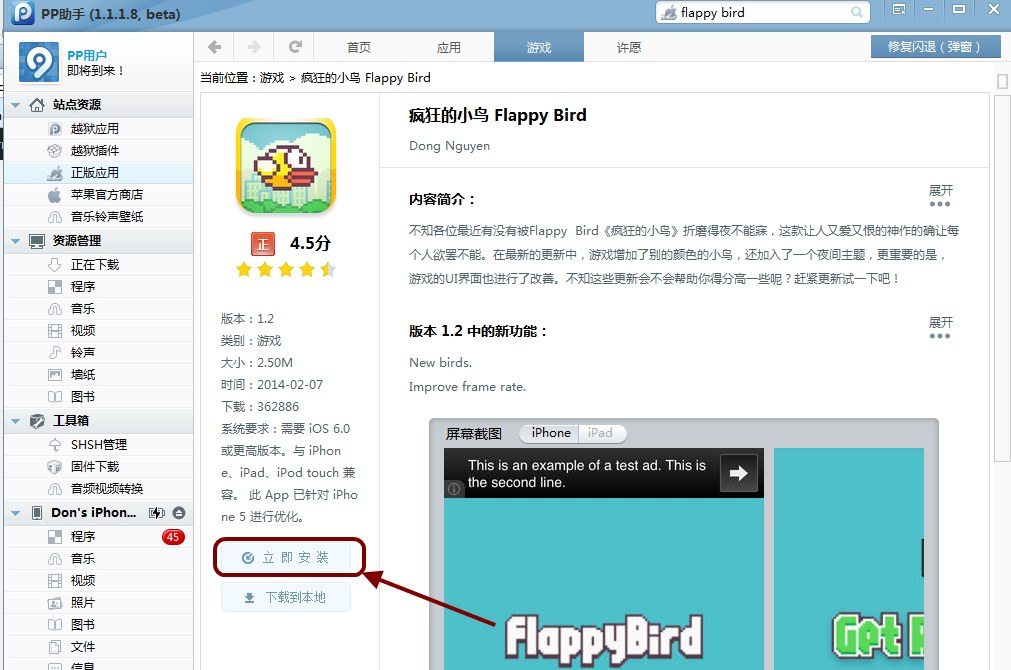
– You should be able to see Flappy Bird from the search results. Click on the application name to select it and hit the install button to directly install the file on your iDevice.
Well, this worked for me and I see no reason why it shouldn’t work for you. you can still install Flappy Bird on your iDevice without jailbreaking even though it’s no longer available in the App Store.